How to set up your account on the reseller portal
Welcome. If you are here, it is because you want to know more about the reseller portal and what it can do.
The reseller portal is a platform that allows you to resell Whogohost products and services to your clients at your prices. Now, how do you achieve that?
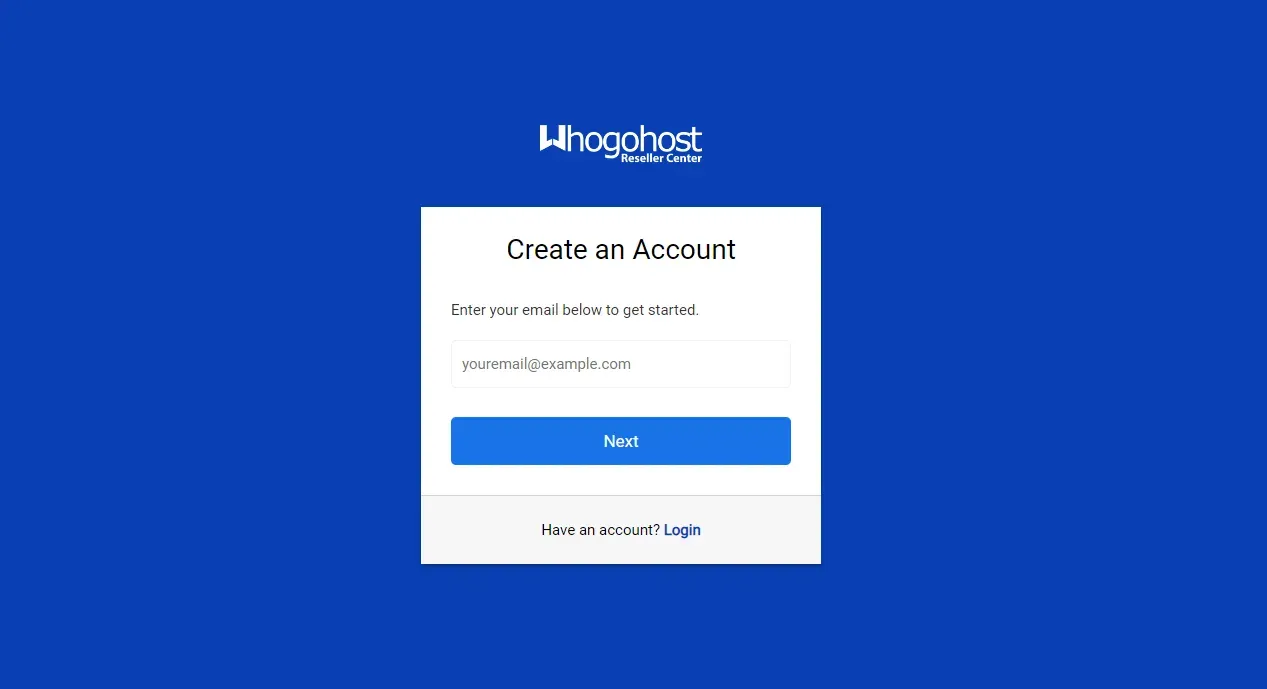
First, register by visiting Domain Reseller. Then, you will see an on-screen prompt telling you to integrate your payment gateways.
It is very important that you do this or else you will not be able to view the products and services available to you for reselling. You can integrate Paystack and or Flutterwave. The choice is yours.
The next step is to add funds to your account on the reseller portal. Without enough funds, your customers cannot buy from your site as this will cause their purchases to become pending transactions.
To resell, you need to set your prices for the products.
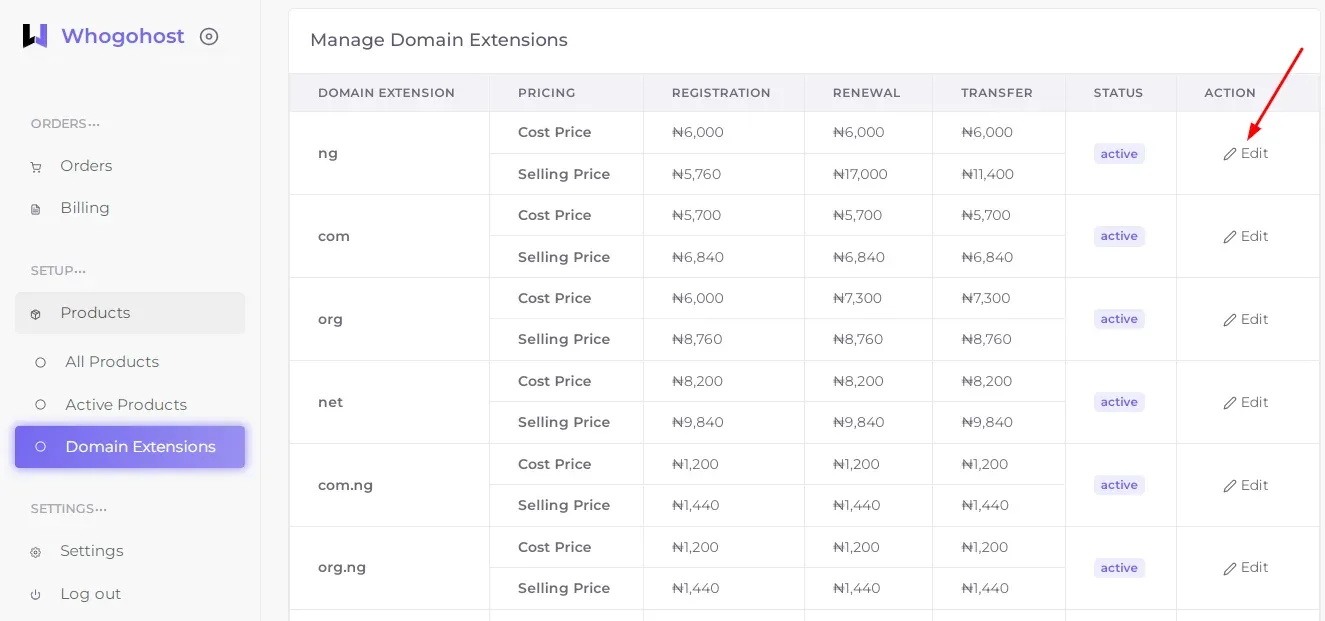
To edit prices for domains, click on Domains, then on Manage Domains. On the page that appears, select your preferred extension and click Edit to change the price. Please note that you can only change the selling price. The cost price is the fixed price from Whogohost.
Please note that you can only change the selling price. The cost price is the fixed price from Whogohost.
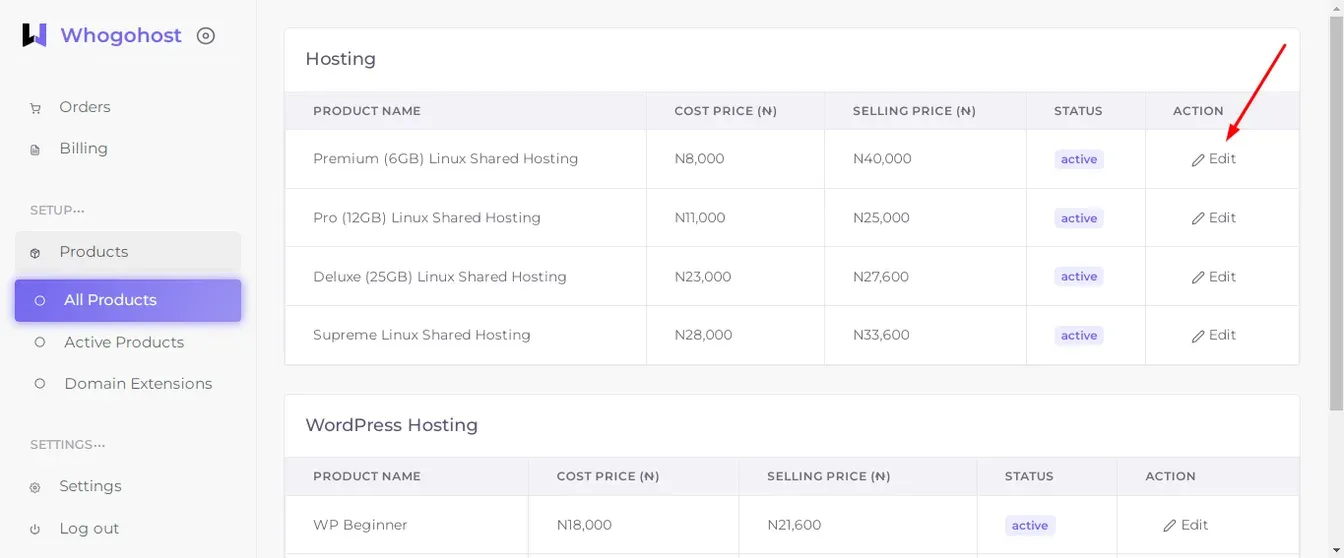
- Edit prices for hosting: Click on Products, then on All Products. On the page that appears, you will find two categories, Hosting and WordPress Hosting. Select the pencil icon under Action for the category and the product you want. Edit the selling price. Please note that you can only change the selling price. The cost price is the fixed price from Whogohost.
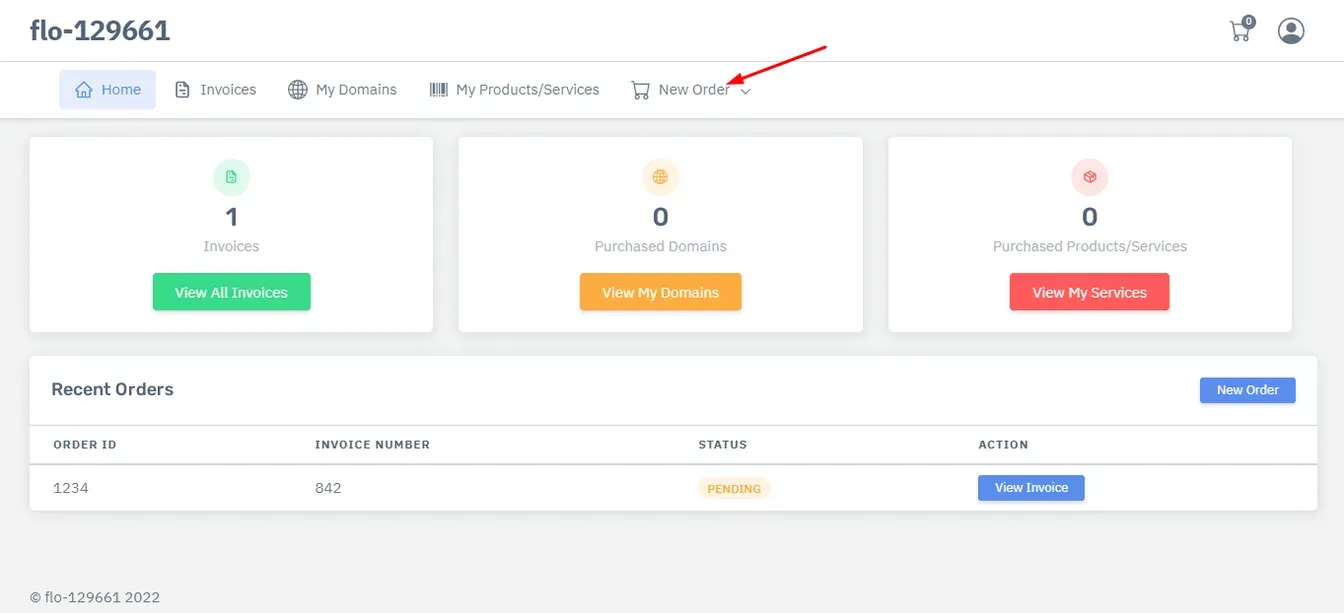
Now, it is time for your customers to place orders for hosting. You can share your website link with them. This is available on your dashboard. They can visit your site and then follow the steps below.
- Hosting: They can place orders for hosting and WordPress hosting from within their account by clicking on the Orders Tab, then the Place New Order Tab or visit the reseller website, click on the HostingTab on the top right hand side, then click Hosting or WordPress Hosting. Then they can purchase the plan they prefer.
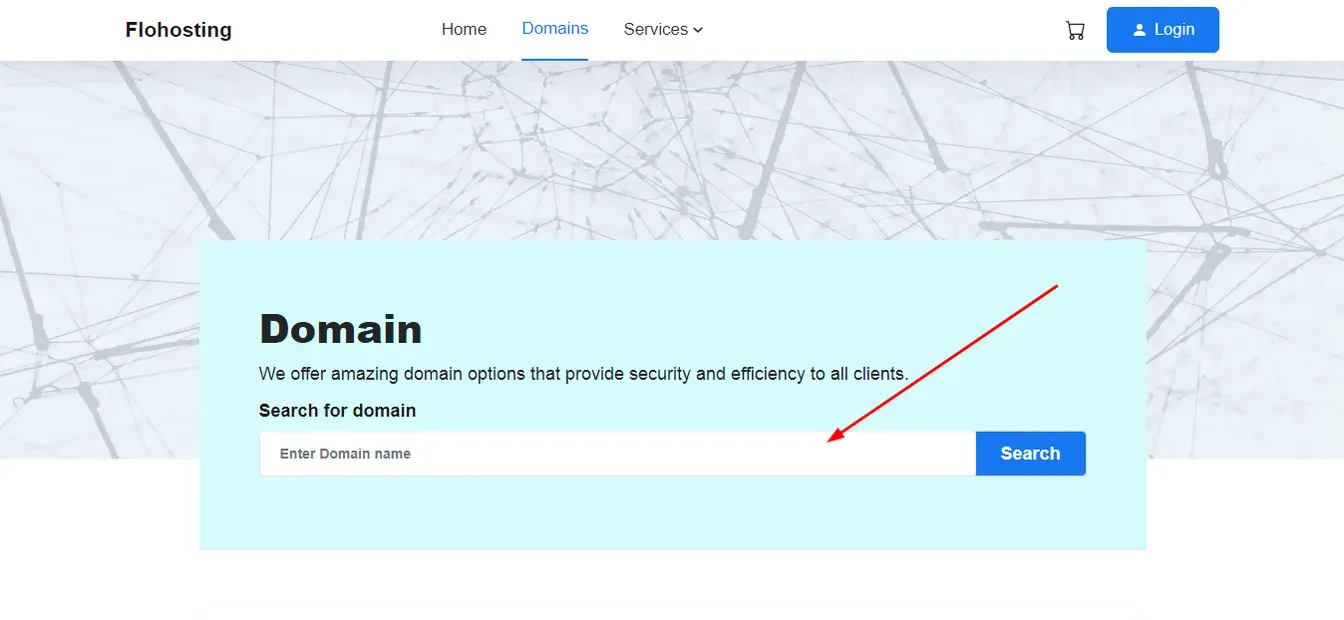
- Domain: To order domains, they should visit the homepage, click Domains, and they will be redirected to the domains page. They can type in their preferred domain in the search box at the top of the page to see if it is available and then purchase. This page also includes the list of extensions available for renewal, referral and transfer.
You are now set to go. With your reseller portal account, your customers can enjoy automated payment reminders and seamless service while you enjoy a business that gives you peace of mind.
Related Posts
5 things you should know about the reseller portal
The reseller portal is a portal that allows you to resell our products at your prices to your customers via a free website that you get when you sign up. You can edit the selling prices of the products through your reseller account. These changes will subsequently reflect on your website. There are 5 things...
 Chinedu Joseph Igbudu

How to pay your Whogohost invoice with 737 on GTBank
It is now easier to pay for your Whogohost invoice with 737 on GTBank. Pay for your hosting, domains, Gsuite, SSL, and professional emails. Simply dial...
 GO54

How to Use cPanel: Guide for Hosting Clients
Master cPanel basics with step-by-step guides on email, domains, backups, and more. Ideal for Nigerian hosting clients using shared hosting.
Chinedu Joseph Igbudu